
Visualize your model
Everything Modeler draws is generated from the SysML v2 text you write, so a diagram or a table can never drift from the model. This page is a first look at the two ways Modeler renders a model beyond the text, and where each is covered in full.
Diagrams Labs
Modeler draws diagrams of the current file, a single element, or a SysML v2 view,
rendered beside the source in an editor panel. Open a .sysml file and press
Ctrl/Cmd+Shift+V to try it.
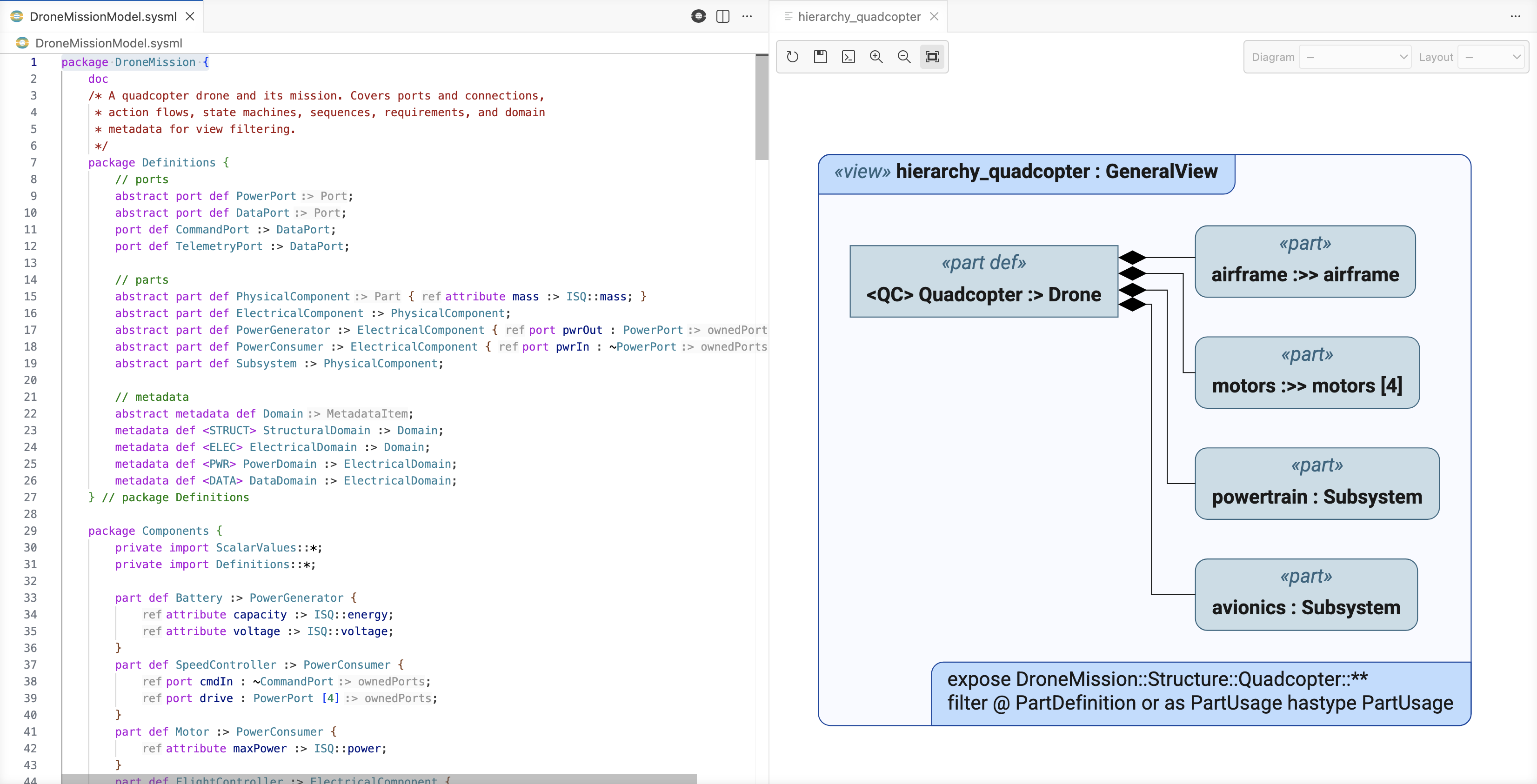
The Diagram views section covers the whole workflow: opening a diagram and working with the panel, plus selecting what a view shows and configuring the diagram it produces.
Tables and matrices Labs
Grid views show the model as spreadsheet-like tables, collapsible hierarchies, and
traceability matrices, with editable cells that write changes back to the source
.sysml files.
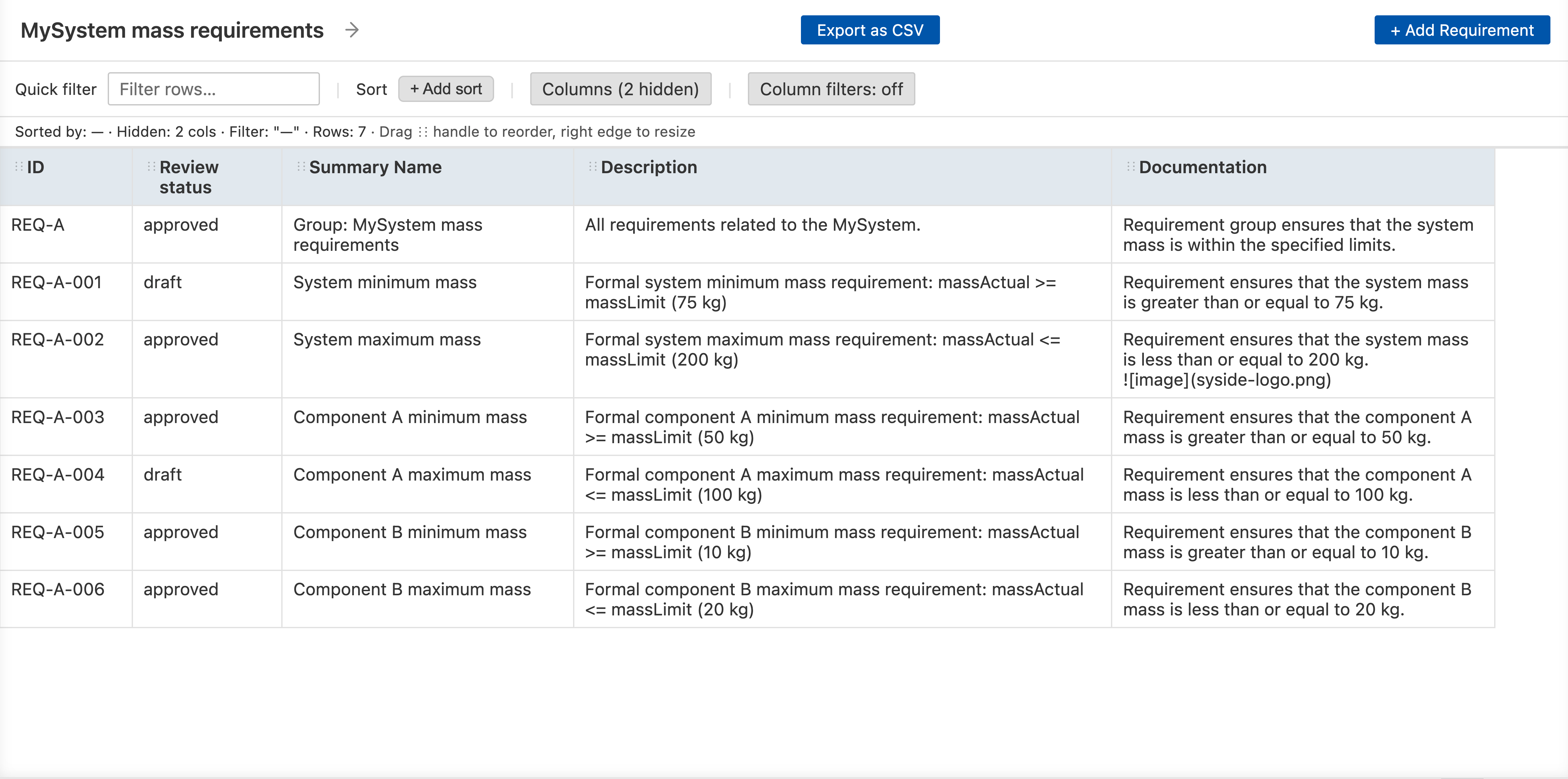
The Grid views section covers the whole workflow: opening and working with views in the editor, and defining table and matrix views in SysML.