

Install Modeler
Syside Modeler installs from the VS Code Marketplace or the Open-VSX Marketplace into Visual Studio Code or a compatible editor, and needs one thing Syside Editor does not: a Modeler license key, available on Sensmetry.com. See Minimum requirements for everything it needs. For the command line tool, see Install Modeler CLI instead.
Install extension
Uninstall or disable Syside Editor first: it shares features with Modeler, and the two conflict.
Open your editor
Click Extensions in the left sidebar (Ctrl/Cmd+Shift+X)
In the search bar, type Syside Modeler
Click Install on Syside Modeler by Sensmetry (identifier sensmetry.syside-modeler)
Where your editor cannot reach the marketplaces, or you need a specific version,
install the extension from a downloaded .vsix file.
Enter your license key and download the Syside Modeler extension for the machine that will run it (the download may take a few seconds to start)
Once installed, this
.vsixneeds no further downloads. The.vsixthe marketplaces offer for download is not this file: it downloads the rest of the extension after the first license check.
Open your editor
Click Extensions in the left sidebar (Ctrl/Cmd+Shift+X)
Drag and drop the
syside-modeler-*.vsixfile onto the Extensions viewAlternatively, open the Command Palette (Ctrl/Cmd+Shift+P), run Extensions: Install from VSIX…, and select the file
Activate license
Modeler checks the license with our licensing servers as you work. Licensing covers what that needs, and What data we collect lists what is sent and what you can turn off.
Open the Command Palette (Ctrl/Cmd+Shift+P) and run Syside Modeler: Check Syside license
A prompt for your Syside license key should open:

Modeler opens the same prompt on its own the first time you open a SysML file.
Enter your license key and press Enter
A confirmation message should appear:
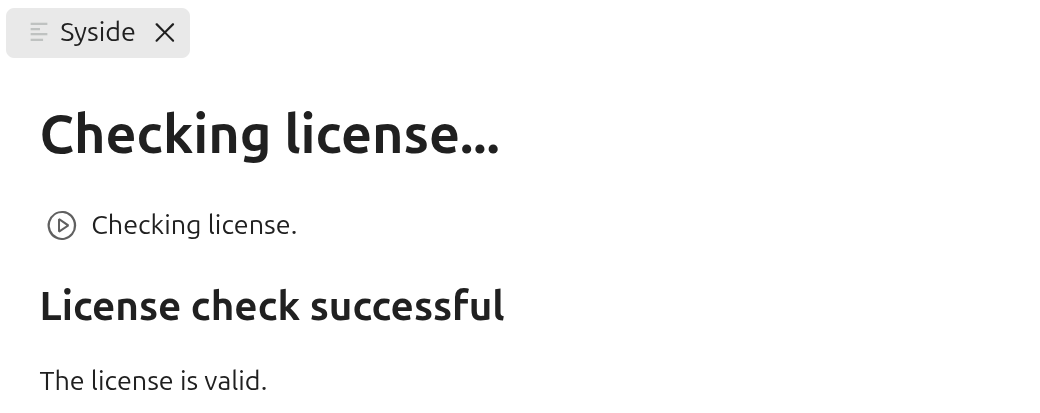
When it fails, an error message appears instead. Check the key and try again, and if it keeps failing, see Troubleshooting.
If you get a popup asking to install Syside Tools, click Install Syside Tools
If you dismissed the prompt, open the Command Palette (Ctrl/Cmd+Shift+P) and run Syside Modeler: Install Syside Tools.
Open the Command Palette (Ctrl/Cmd+Shift+P) and run Syside Modeler: Add Syside license key to keyring
This stores the key in your operating system’s secret storage, where Modeler CLI and Automator find it too, so the key is entered once per machine.
On a machine that cannot reach our licensing servers, import a license file instead: Offline license covers getting, carrying over and importing it.
Verify installation
Check that Modeler flags an error and draws a diagram:
In your editor, save this as
example.sysml:package Example { part def Electrical; part Automobile { part Motor : Electricall; } }
You should see an error highlighted and listed in the Problems panel (Ctrl/Cmd+Shift+M):
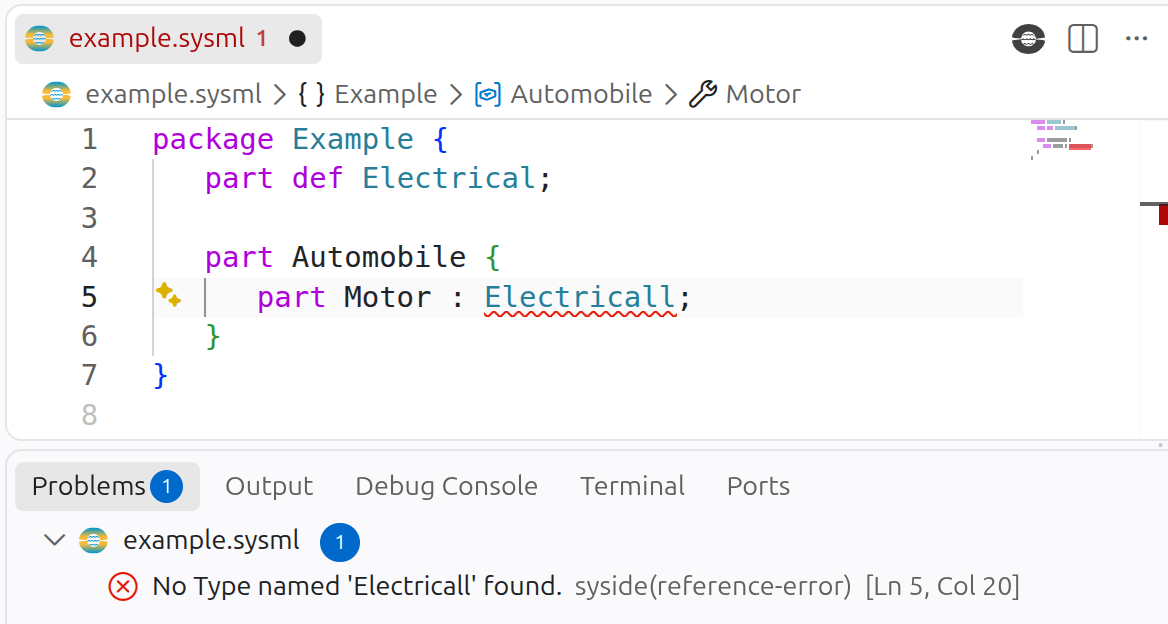
Correct the spelling to
Electricaland saveThe error should disappear.
Click the Syside logo (top right) and select Visualize current file (Ctrl/Cmd+Shift+V)
A diagram of the model should open:
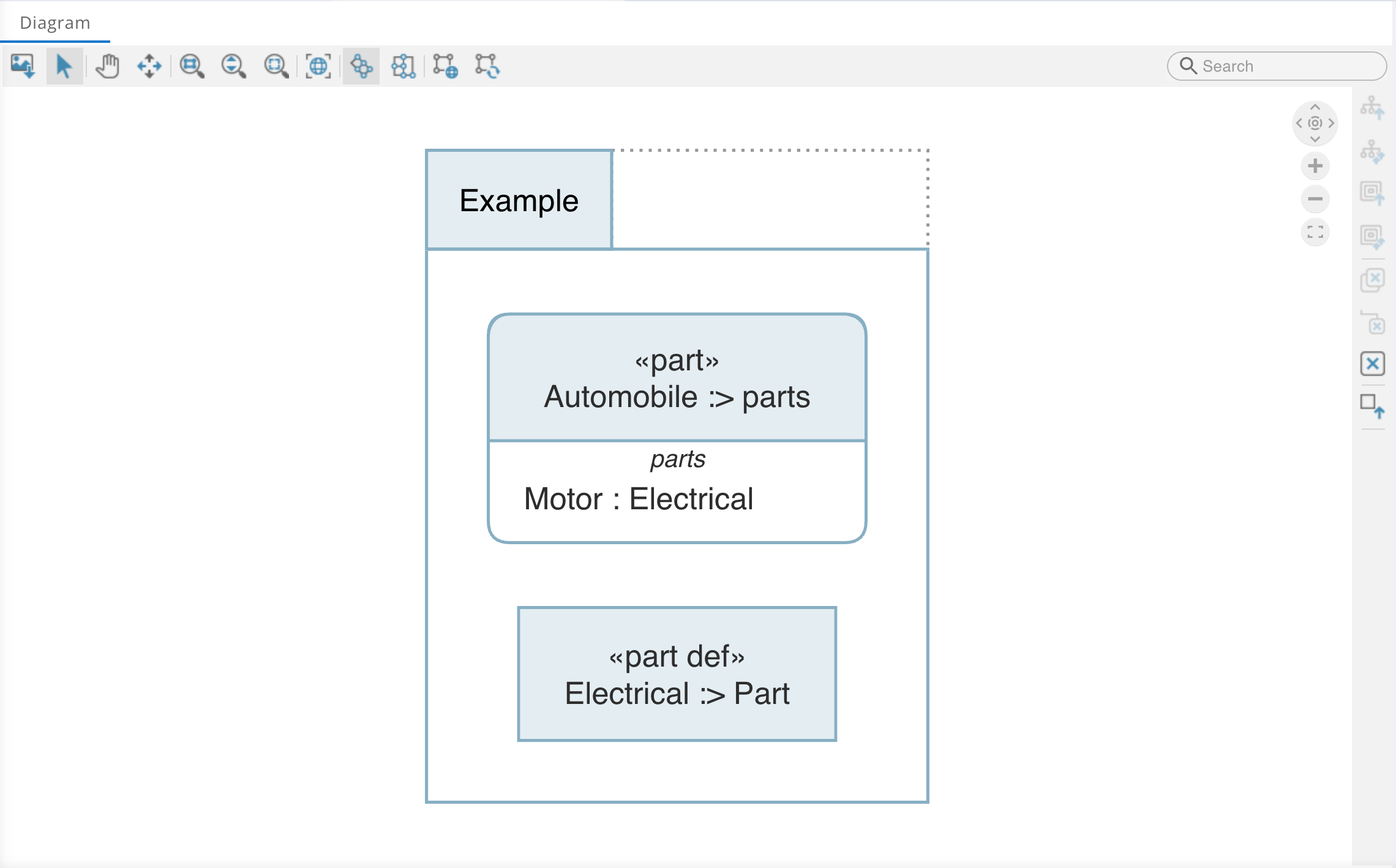
Continue to Write your model, or start at Troubleshooting if something did not work.
Update Modeler
Updating keeps your license activation and your settings.
By default, your editor updates extensions automatically. Reload the extension when it prompts you after an update.
If you are not receiving automatic updates:
Click Extensions in the left sidebar (Ctrl/Cmd+Shift+X)
Find Syside Modeler in the list
Verify the Auto Update checkbox is enabled
A VSIX install does not update itself. Repeat the installation steps with the latest version.
Minimum requirements
Valid Modeler license (available on Sensmetry.com)
Windows 10 or newer, 64-bit (for older versions, install Windows UCRT)
An editor to host the extension: Visual Studio Code (recommended), Cursor, or VSCodium
Internet connection, or an offline license
Java 21 runtime, needed by the Tom Sawyer SysMLv2 Viewer
Valid Modeler license (available on Sensmetry.com)
macOS 11.0 or newer on Apple silicon, or macOS 10.13 or newer on Intel
An editor to host the extension: Visual Studio Code (recommended), Cursor, or VSCodium
Internet connection, or an offline license
Java 21 runtime, needed by the Tom Sawyer SysMLv2 Viewer
Valid Modeler license (available on Sensmetry.com)
Linux x64 distribution with GNU C Library
glibc >= 2.31Check yours with
ldd --version. The first line ends with the glibc version, as inldd (Ubuntu GLIBC 2.39-0ubuntu8.8) 2.39.An editor to host the extension: Visual Studio Code (recommended), Cursor, or VSCodium
Internet connection, or an offline license
Java 21 runtime, needed by the Tom Sawyer SysMLv2 Viewer