

Report generation
This example shows how to generate documents directly from SysML v2 models. It takes a set of SysML models and a markdown template as input, and produces the document as PDF, HTML and DOCX.
Diagrams are generated in two ways: with Graphviz, and with the
viz command of syside, producing the same diagrams as the
Syside VS Code Extension.
Tables and
traceability matrices defined as grid views
in the model are exported with syside.grid.write_csv(), the function behind the
grid command.
The example document is a verification control document. This document type, defined by the ECSS-E-ST-10-02C verification standard, lists every requirement with the methods that verify it and records its close-out status. Each issue reports one verification run, and this example traces every requirement from its stakeholders to the component that satisfies it and the test case that verifies it.
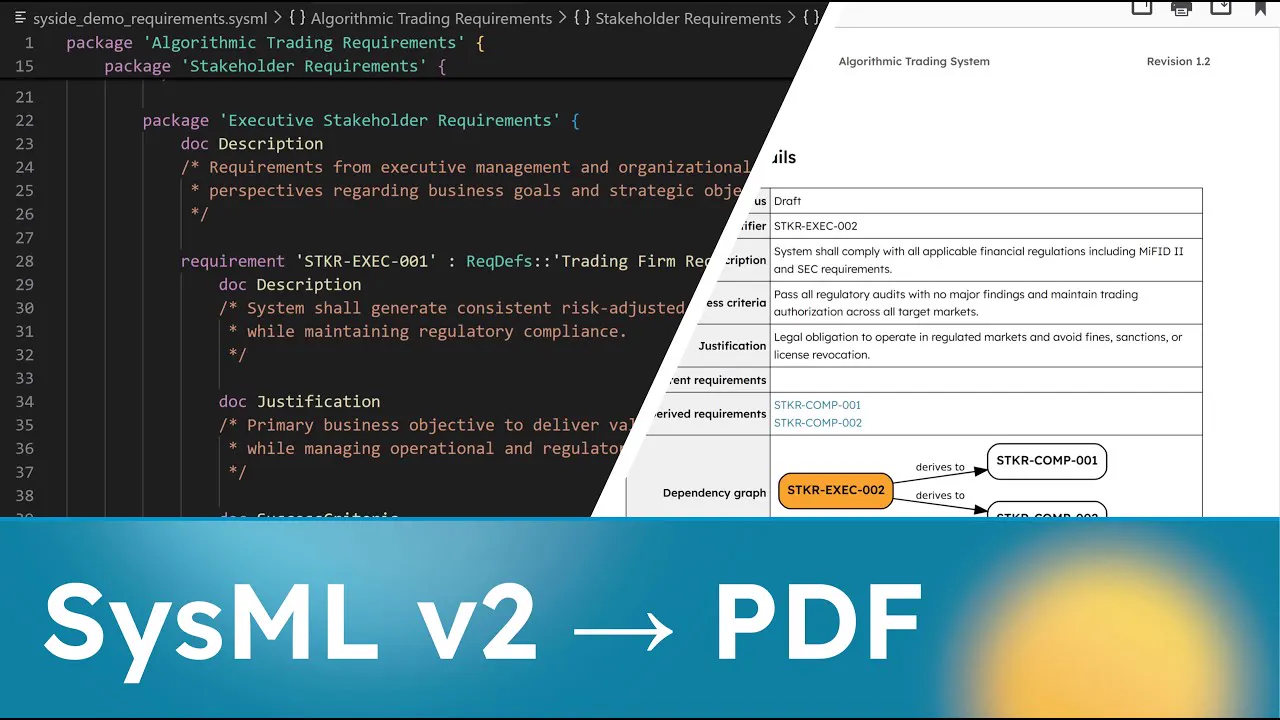
What you get
The generated document contains:
A title page with project metadata, revision history and changelog
Applicable documents, and the verification methods, approaches and environments
Requirement types, the stakeholders and actors of each requirement, the system components with a diagram of the flows between them, and a requirement catalog
One page per requirement, with its details (description, justification, success criteria, stakeholders, sources, parent and derived requirements, and a dependency graph) and its verification details (satisfying component, verifying test case and status)
A verification matrix, and one entry per test case
The close-out status: requirements per verification status, test cases per verdict, and the open items that did not pass
Traceability: derivation matrices, a satisfaction matrix and a matrix of requirements by test case
Note
The generated documents are also included in the downloadable example zip.
The input is a SysML v2 model of the requirements, the system design, the verification
plan and the verification results. A requirement carries its ID as a short name, its
description as documentation, its justification as a comment, and its success criteria
as a require constraint:
requirement <'STKR-EXEC-001'> 'Consistent risk-adjusted returns'
    : ReqDefs::'Trading Firm Requirement' {
    subject :>> platform;
    stakeholder :>> owner;
    stakeholder :>> approver;
    stakeholder investor : 'Algorithmic Trading Stakeholders'::Investor;

    doc Description
    /* System shall generate consistent risk-adjusted returns
     * while maintaining regulatory compliance.
     */

    comment Justification
    /* Primary business objective to deliver value to investors
     * while managing operational and regulatory risk.
     */

    require constraint {
        doc SuccessCriteria
        /* Achieve minimum Sharpe ratio of 2.0 over rolling 12-month
         * periods with zero regulatory violations.
         */
    }
}
A specification groups all requirements and links them. Derivation connections link parent requirements to the requirements derived from them, and dependencies link requirements to the regulations they trace to:
requirement def 'Trading Platform Specification' specializes PlatformRequirement {
    requirement stkr_exec : STK::'Executive Stakeholder Requirements';
    requirement stkr_comp : STK::USER::'Compliance Team Requirements';
    ...

    #derivation connection 'STKR-EXEC-002 Derivation' {
        end #original original_req references stkr_exec.'STKR-EXEC-002';
        end #derive derived_req_1 references stkr_comp.'STKR-COMP-001';
        ...
    }

    dependency from stkr_comp::'STKR-COMP-002' to Sources::'MiFID-II';
}
The system design satisfies the requirements, each test case verifies one, and a verification run in the project records the verdict of each test case.
Setup
Download
Download and extract the example model and script into a folder.
External dependencies
This example requires three external tools:
WeasyPrint (PDF generation)
Graphviz (dependency graph rendering)
Pandoc (DOCX conversion)
Install Graphviz and Pandoc using their official installers, or via Chocolatey:
choco install graphviz pandoc
WeasyPrint requires GTK3 runtime libraries (Pango, Cairo, etc.) to be installed.
Download and install the GTK3 Runtime
installer. After installation, ensure the GTK3 bin directory is on your system
PATH.
brew install weasyprint graphviz pandoc librsvg
sudo apt install weasyprint graphviz pandoc librsvg2-bin
Package names may differ on non-Debian distributions. See the official documentation for each tool linked above.
Python dependencies
This example needs syside, installed as described in
Install the Python Library & CLI, and the libraries for template processing and document
conversion (Jinja2, WeasyPrint, pypandoc, Graphviz, and others), installed into the
same environment:
uv add -r scripts/requirements.txt
pip install -r scripts/requirements.txt
SysideViews library
The table and matrix views import the SysideViews library, which is published on
the sysand registry instead of shipping with the example. Add the
library from the models/ folder:
cd models
syside project init --publisher demo --metamodel sysml --kind project-json
syside project add sensmetry/syside-views --version-constraint 1.0.0
The library lands in models/.sysand/, and the script loads it with the rest
of the model. Version 1.0.0 is the one the views are written for.
Running the generator
Basic generation, producing PDF, HTML, and DOCX in the output directory:
python scripts/generate_docs.py --output ./output
With version tracking. This compares the current model against the latest git tag and updates the revision history and changelog:
python scripts/generate_docs.py --output ./output --update-version
CLI options:
Option |
Description |
|---|---|
|
Output directory for generated documents. Defaults to |
|
Path to the directory containing SysML model files. Defaults to |
|
Compare requirements against the latest git tag, update
|
Project structure
report_generation/
├── models/
│   ├── verification_control_document.md     # Jinja2 template (document structure)
│   ├── syside_demo_requirements.sysml       # Requirements and their specification
│   ├── syside_demo_stakeholders.sysml       # Stakeholder definitions
│   ├── syside_demo_common_defs.sysml        # Requirement and verification definitions
│   ├── syside_demo_ref_architecture.sysml   # Platform structure the requirements name
│   ├── syside_demo_design.sysml             # System design and the project
│   ├── syside_demo_verification.sysml       # Verification plan (test cases)
│   ├── syside_demo_vvr.sysml                # Verification results of a release
│   └── syside_demo_views.sysml              # Diagram, table and matrix views
├── scripts/
│   ├── generate_docs.py                     # Generation script
│   └── requirements.txt                     # Python dependencies
├── assets/
│   ├── styles.css                           # PDF/HTML styling
│   ├── syside.toml                          # Diagram settings for syside viz
│   ├── template.docx                        # DOCX reference template
│   └── logo_placeholder.png                 # Company logo
├── metadata/
│   └── versions.json                        # Revision history
└── output/                                  # Generated documents
How it works
The generation pipeline has four steps:
Model loading. The script loads all
*.sysmlfiles from the project directory usingsysideand builds an in-memory model.Template processing. The Jinja2 template (
verification_control_document.md) is rendered. Template expressions call functions exposed by the script to extract data from the loaded model: requirements, attributes, relationships, documentation and verification results. SysML views become SVG diagrams viasyside viz view, and table and matrix views become tables viasyside.grid.write_csv().Document assembly. The rendered markdown is converted to HTML. A table of contents is generated from the headings. CSS styling is applied, including headers/footers with project metadata.
Output conversion. The styled HTML is converted to three formats: HTML (direct), PDF (via WeasyPrint), and DOCX (via Pandoc).
Tip
Most changes go into the template. The script only changes to add a new kind of data extraction.
The template
The template file (models/verification_control_document.md) is a markdown file
with three kinds of content: YAML frontmatter, static markdown, and Jinja2 expressions
that pull data from the model.
Frontmatter
The top of the template contains YAML metadata between --- delimiters. These fields
are used to populate the title page, headers, footers, and revision tracking:
project_title: "Algorithmic Trading System"
document_title: "Verification Control Document"
author: "Sensmetry"
project_reference: "DEMO-2026-001"
document_version: "2.0"
document_version_description: "Restructured report."
company_website: "www.example.com"
company_email: "info@example.com"
company_phone: "XXX XXX XXXX"
labels:
  inspect: "Inspection"
  pass: "Pass"
  closed: "Closed"
  ...
These values are passed to template functions like title() and are also used by the
script to generate PDF headers and footers.
labels sets how the document words verification methods, verdicts and requirement
statuses. Its keys are the names of the method and verdict literals in the SysML
library, plus the statuses closed, open and not_verified and the verdict
not_run. A key without a label appears as written.
Static content
Regular markdown that appears in the output as-is. For example, the opening of the Purpose section of the demo template:
## Introduction

### Purpose

This document lists the requirements of the algorithmic trading platform, the
methods by which each one is verified and its close-out status...
Dynamic content
Jinja2 expressions ({{ }}) call template functions to extract and format data from
the loaded SysML model. Here is how the Requirements section of the demo template works:
{{
    repeat_for_each_item(
        data_source=get_children_with_attributes(
            root_package=[
                "'Algorithmic Trading Requirements'::'Stakeholder Requirements'",
                "'Algorithmic Trading Requirements'::'System Requirements'"
            ],
            metatype="RequirementUsage",
            attributes={
                "ID": "ShortName",
                "Name": "ElementName",
                "Description": "Documentation",
                "Justification": "Comment",
                "SuccessCriteria": "ConstraintDocumentation",
                ...
                "Status": "Req_Status",
                "Graph": "Req_DependencyGraph",
                "Package": "OwningNamespace"
            }
        ),
        sections=[
            {"type": "h3", "value": 'unique_headers_from_qualified_name(row[13])'},
            {"type": "h4", "value": 'row[0] + " " + row[1]'},
            {"type": "h5", "value": "Requirement details"},
            {"type": "table", "value": 'generic_table(
                columns=["Description", "Justification", "Success criteria", ...],
                rows=[row[2:9] + row[12:13]],
                flipRowsAndCols=True,
                ...
            )'},
            {"type": "h5", "value": "Verification details"},
            {"type": "table", "value": 'generic_table(
                columns=["Satisfied by", "Verified by", "Status"],
                rows=[row[9:12]],
                flipRowsAndCols=True,
                ...
            )'}
        ],
        page_break_between_rows=True
    )
}}
This breaks down as:
get_children_with_attributes()extracts allRequirementUsageelements from the stakeholder and system requirement packages, along with their attributes. Each element becomes a row (a list of attribute values in the order defined by theattributesdictionary).repeat_for_each_item()loops over those rows. For each requirement, it renders thesectionslist: headings, tables, and text. Inside section values,row[0]refers to the first attribute (ID),row[1]to the second (Name), and so on.generic_table()formats a subset of each row’s attributes into an HTML table. TheflipRowsAndCols=Trueflag transposes it so attribute names are row headers.
Note
Row indices always correspond to the order of keys in the attributes dictionary.
If you add, remove, or reorder attributes, the indices in row[N] references and
row slicing (e.g., row[9:12]) must be updated to match.
get_children_with_attributes() and generic_table() produce most tables of the
document. The verification matrix,
for example, is one row per requirement with the methods, test cases, environments and
status of its verification:
{{
    generic_table(
        columns=["Requirement", "Methods", "Test case", "Environment", "Status"],
        rows=get_children_with_attributes(
            root_package=[...],
            metatype="RequirementUsage",
            attributes={
                "ID": "Link",
                "Methods": "Req_Methods",
                "Tests": "Req_Verified",
                "Environment": "Req_Environments",
                "Status": "Req_Status"
            }
        ),
        caption="Verification cross-reference matrix"
    )
}}
The template also uses simpler expressions for standalone elements:
{{ title() }}             {# Title page from frontmatter #}
{{ toc() }}               {# Table of contents #}
{{ page_break() }}        {# Page break in the PDF #}
{{ revision_history() }}  {# Version table from versions.json #}
{{ changelog() }}         {# Diff against last git tag #}
Views, tables and matrices
To embed a view diagram, call render_view() with the qualified name of the view. For
example, the demo template shows the flows between the platform components as a
diagram:
{{
    render_view(
        view=
            "'Algorithmic Trading Views'"
            "::'System Views'"
            "::'Algorithmic Trading Platform'",
        width="100%",
        caption="Flows between the platform components"
    )
}}
The view must be defined in a SysML model file (see
models/syside_demo_views.sysml).
Tables and matrices that only rearrange what the model states can also be written as
grid views in models/syside_demo_views.sysml,
the same views the SysMLv2 Views panel opens. A table
view selects its rows with expose and filter and declares one column per aspect to
show. The stakeholder table of the demo is:
view Stakeholders : TVD::TableView {
    expose 'Algorithmic Trading Stakeholders'::*;
    filter hastype PartDefinition;

    view Stakeholder :> columnViews {
        attribute :>> featureRepresentation :> ColRep::declaredName;
    }
    view Description :> columnViews {
        attribute :>> featureRepresentation :> ColRep::documentation;
    }
}
render_grid() inserts a grid view as a table. Every requirement ID and test case name
in it links to its entry in the document, and each row of a table view is a link target
for the element in its first cell, so a satisfying component links to its row in the
platform components table:
{{
    render_grid(
        view="'Algorithmic Trading Views'::'Report Tables'::'Platform Components'",
        widths=["22%", "25%", "53%"],
        caption="Platform components"
    )
}}
Grid views cannot follow satisfy and verify relationships or read verdicts, so the
tables and matrices that need those are built with get_children_with_attributes()
and traceability_matrix() instead.
Customization
Branding
Company information: update the frontmatter fields at the top of the template:
author: "Your Company Name"
company_website: "www.yourcompany.com"
company_email: "info@yourcompany.com"
company_phone: "+1 234 567 8900"
Logo: replace
assets/logo_placeholder.pngwith your company logo.PDF/HTML styling: modify
assets/styles.cssto change fonts, colors, spacing, and table styles.Diagram styling: add settings to
assets/syside.toml, which everyrender_view()call passes tosyside viz. See Custom colors for coloring diagram elements.DOCX styling: modify
assets/template.docxto set Word document styles (paragraph formats, heading styles, page layout).
Adding attributes
To add a new attribute (e.g., Priority) to the generated requirements:
Add the attribute to your SysML model:
requirement <'STKR-RISK-001'> 'Position limit enforcement'
    : ReqDefs::'Risk Management Requirement' {
    attribute Priority = "High";
    ...
}
Add it to the
attributesdictionary in the template’s Requirements section:attributes={ "ID": "ShortName", "Name": "ElementName", ... "Package": "OwningNamespace", "Priority": "AttributeUsage" },Include it in the table columns and row slicing. The new attribute’s index corresponds to its position in the
attributesdictionary (in this case,row[14]):columns=["Satisfied by", "Verified by", "Status", "Priority"], rows=[row[9:12] + row[14:15]],
Regenerate the document.
Changing model references
If your SysML model uses different package names, update the root_package parameter
in all template function calls. For example:
root_package="'Algorithmic Trading Requirements'::'System Requirements'"
becomes:
root_package="'Your Package Name'"
A list of packages reads them one after the other, which the demo uses to list stakeholder requirements before system requirements.
The metatype parameter controls which kind of elements are extracted. Common values:
Metatype |
Extracts |
|---|---|
|
Requirements |
|
Requirement type definitions |
|
Test cases |
|
Verification approaches (abstract, so pass |
|
Item definitions (used for reference documents in the demo) |
|
System components (used in the satisfaction matrix) |
Adding sections
The script renders the template from top to bottom, so a new section goes where it should appear in the document. For example, a table of the requirements that are not yet closed:
## Open requirements

{{
    generic_table(
        columns=["Requirement", "Name", "Status"],
        rows=filter_rows(
            data=get_children_with_attributes(
                root_package="'Algorithmic Trading Requirements'::'System Requirements'",
                metatype="RequirementUsage",
                attributes={
                    "ID": "Link",
                    "Name": "ElementName",
                    "Status": "Req_Status"
                }
            ),
            column=2,
            exclude=["Closed"]
        ),
        widths=["20%", "50%", "30%"]
    )
}}
Template function reference
All functions below are available inside {{ }} expressions in the template.
Document structure functions
title()Generates the title page from the frontmatter: project title, document title, project reference, version, author and the date of generation.
toc()Generates a table of contents from the document headings, up to 3 levels deep.
page_break()Inserts a page break in the PDF output.
revision_history()Generates a revision history table from
metadata/versions.json. Each entry shows version, date, description, and a summary of changes.changelog()Compares the current model against the latest git tag and generates a detailed changelog showing added, modified, and deleted requirements with their attribute changes. Requires the
--update-versionCLI flag to be active.
Data extraction functions
get_children_with_attributes(...)Extracts elements from the SysML model and returns their attributes. Each element becomes a row (a list of strings), with values in the same order as the
attributesdictionary.Parameters:
Parameter
Description
root_packageQualified name of the package to search, e.g.,
"'Algorithmic Trading Requirements'::'System Requirements'", or a list of themmetatypeElement type to extract (
"RequirementUsage","VerificationCaseUsage","PartUsage","RequirementDefinition", etc.)ignore_abstract_metatypesIf
True(the default), skip abstract elementsattributesDictionary mapping display names to extraction types (see table below)
Extraction types for the
attributesdictionary:Type
Description
"ElementName"The element’s name (dictionary key is ignored)
"ShortName"The element’s short name, which the demo uses for requirement IDs
"Link"The element’s short name, or name, linked to its entry in the document
"ExternalLink"The element’s name, linked to the web address in the attribute the key names (e.g.,
"url")"Type"Name of the element’s type, such as the verification approach of a test case
"Documentation"Documentation body. The key selects which
docblock: use""for the default (unnamed) doc, or a name like"Description"to matchdoc Description /* ... */"Comment"Body of a
comment, selected by the key like"Documentation""ConstraintDocumentation"Documentation of the element’s constraints, such as
doc SuccessCriteriainside arequire constraint. The key selects thedocblock."AttributeUsage"Value of a named attribute. The key specifies the attribute name (e.g.,
"Prefix","title")"OwningNamespace"Qualified name of the parent namespace
"Stakeholders","Actors"Stakeholder or actor parameters, listed as type and role, e.g.,
TradingFirm (owner)"ActorTypes"Types of the actor parameters, such as the environment of a test case
"Methods"Verification methods set by
@VerificationMethodon the element or its type"Dependencies","Dependents"Targets of the element’s dependencies, or the elements that depend on it
"Req_Parents"Parent requirements (via derivation connections)
"Req_Derivations"Derived child requirements
"Req_Implemented"Satisfying components (via satisfy usages), linked to their rows in a grid table when the document has one
"Req_Verified"Test cases that verify the requirement
"Req_Methods","Req_Environments"Verification methods and environments of those test cases
"Req_Status"Verification status: closed when every test case that verifies the requirement passes, open otherwise, and not verified when none does
"Req_DependencyGraph"SVG dependency graph of derivation relationships
"Verifies"The requirement a test case verifies
"Verdict"Verdict a verification run records for a test case
"Result"Documentation a verification run records for a test case. The key selects the
docblock, like"Documentation"(e.g.,"ResultDescription")get_docs(...)Extracts the
docblocks inroot_package, as a list of[doc_name, doc_body]pairs. Withoutdoc_nameit returns the unnamed blocks, with a name only the blocks of that name, and with"*"all of them.count_elements(...)Counts the elements
get_children_with_attributes()would extract with the sameroot_packageandmetatype.count_values(data, column=0)Counts how many rows of
datahold each value ofcolumn, returning one[value, count]row per value. The demo uses it for the close-out summaries.filter_rows(data, column=0, exclude=None)Keeps the rows of
datawhosecolumnis not one ofexclude, such as test cases whose verdict is not"Pass".
Formatting functions
generic_table(...)Generates an HTML table.
Parameter
Description
columnsColumn header labels
rowsList of rows, each a list of cell values
flipRowsAndColsTranspose the table (columns become rows). Default
FalsewidthsColumn width percentages, e.g.,
["25%", "75%"]css_classCSS class to apply (e.g.,
"table-2d","matrix-table")col_alignmentPer-column alignment:
"left","right", or"center"captionCaption above the table, numbered “Table N” in document order
headless_table(...)Like
generic_tablebut uses the first row ofdataas column headers.list_items(...)Formats rows as a markdown list. Use
{0},{1}, etc. to reference columns by index (matching the order in theattributesdictionary).Example format string:
"- **[{0}]({2})** - {1}"This produces a list of linked items.
text(...)Formats the rows of
datathatrowsselects, a list of row indices as strings (["0"]by default), withformat, where{0},{1}are the row’s columns.
Iteration functions
repeat_for_each_item(...)Loops over
data_sourceand renderssectionsfor each row. Each section is a dictionary with two keys:Key
Description
"type""h1"through"h6"for headings,"table"for tables,"body"for text"value"A string that can reference
row[0],row[1], etc. For tables, the value is ageneric_table(...)call as a string, which is evaluated with the current row in scope.Set
page_break_between_rows=Trueto insert page breaks between items.
Specialized functions
render_view(view, width=None, caption=None)Renders a SysML view to an SVG diagram and returns it as an HTML fragment. With a
caption, the diagram becomes the next numbered figure, captioned “Figure N: caption”.widthsets the largest width of the diagram,100%by default.The view must be defined in a SysML model file loaded by the script (e.g.,
models/syside_demo_views.sysml). See Configure diagram views for how to define views.render_grid(view, widths=None, caption=None)Exports a table or matrix view with
syside.grid.write_csv()and returns it as an HTML table. A table view’s columns become the table’s columns. A matrix keeps its row and column names, and marks each cell where a relationship exists. Requirement IDs and test case names link to their entries, and each row of a table view is a link target for the element named in its first cell.viewis the qualified name of the grid view, written the way the model names it: a name quoted in the model is quoted here, e.g.,"'Algorithmic Trading Views'::'Report Tables'::'Requirement Catalog'".traceability_matrix(...)Builds a traceability matrix. Rows are the
row_metatypeelements inrow_package(e.g., requirements), columns thecol_metatypeelements incol_package(e.g., system components). Cells are marked where the row element hasrelationshipto the column element:"satisfied_by"(the default),"verified_by","children","parents","dependencies"or"parties"(stakeholders and actors). As in the grid views,↗means the row element is the source of the relationship and↙means the column element is. A link with a name shows the name instead of the mark, such as the role a stakeholder plays. Withskip_empty=True, rows and columns without any mark are left out. The result is passed toheadless_table()for rendering.unique_headers_from_qualified_name(...)Returns the last segment of a qualified name the first time it is called with that name, and an empty string afterwards, so each package gets one heading.